Explore Network Adapters (NICs) Subcategories
1GbE Network Adapters
Gigabit Ethernet PCIe server network adapters for enterprise servers.
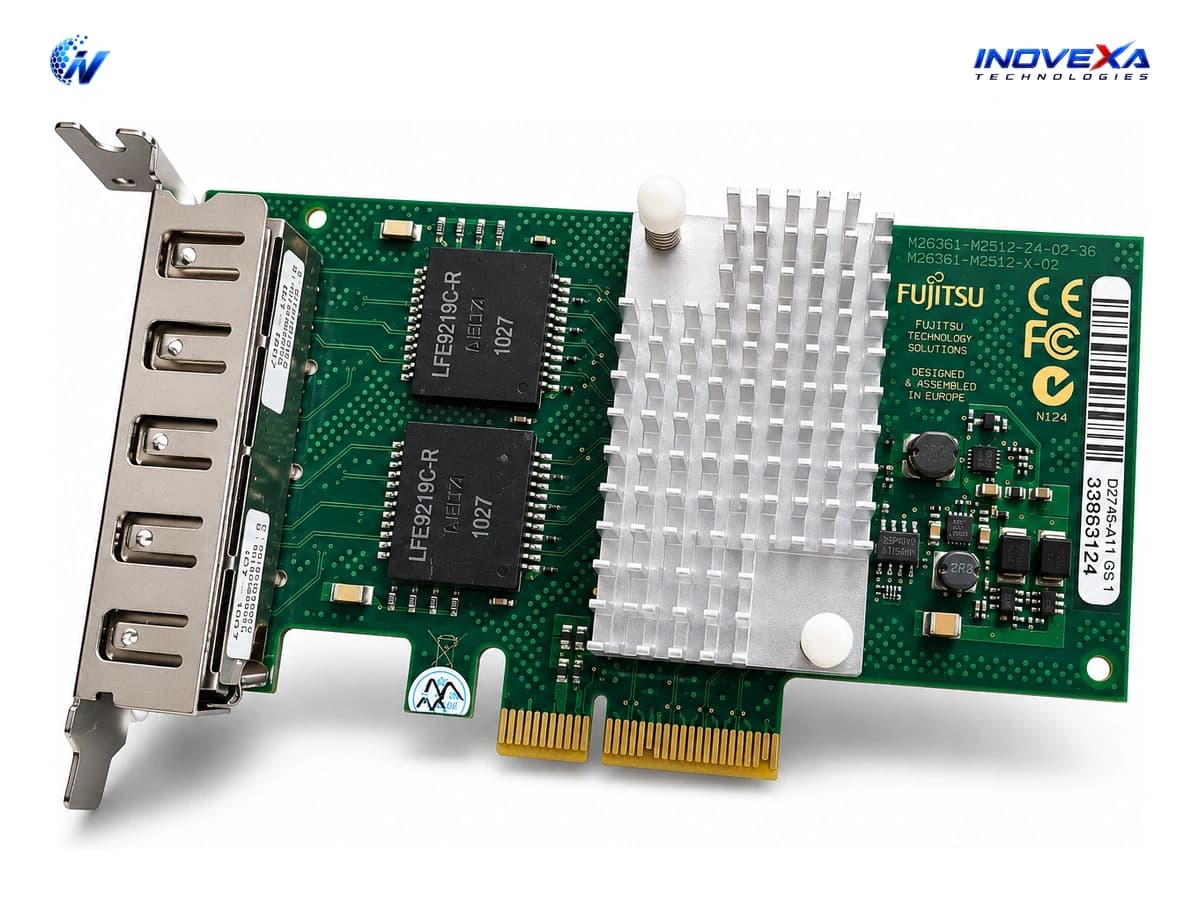
Network Adapters (NICs)
High-performance servers demand high-bandwidth, hardware-accelerated Network Interface Cards (NICs) to eliminate packet bottlenecks at the network edge. Inovexa Technologies provides an enterprise portfolio of single, dual, and quad-port PCIe Network Adapters spanning 1GbE, 10GbE SFP+/RJ45, 25GbE SFP28, 40GbE QSFP+, and 100GbE QSFP28 speeds. Featuring genuine Intel (X520, X540, X550, X710, E810), Broadcom, Mellanox, and HP enterprise chipsets, our NIC cards support advanced network offloading features including SR-IOV virtualization, RDMA over Converged Ethernet (RoCE), and iSCSI/FCoE boot capabilities for maximum server I/O efficiency.
Server Network Interface Card (NIC) Buying Guide
Choosing the right server NIC involves matching your motherboard PCIe slot standard, media interface, and hardware offload protocols to your throughput requirements.
1Media Interface: SFP+ Fiber vs. RJ45 Copper
SFP+ optical NIC adapters provide lower latency, lower power consumption, and immunity to electromagnetic interference over long distances. RJ45 copper 10Gbase-T adapters utilize standard Cat6A cabling, making them convenient for short-run server rack patch panels.
2PCIe Bus Interface & Lane Width
Ensure your server motherboard has compatible PCIe generation and lane availability (e.g., PCIe 3.0 x8 or PCIe 4.0 x16) to prevent throughput bottlenecks on dual 10G/25G/40G adapter channels.
3SR-IOV & Hardware Virtualization Acceleration
Single Root I/O Virtualization (SR-IOV) allows a single physical NIC to be partitioned into multiple virtual network interfaces directly accessible by virtual machines, bypassing hypervisor CPU overhead.
4RDMA Protocol Support (RoCE v2 vs. iWARP)
For low-latency storage arrays and hyperconverged infrastructure (HCI), select network cards supporting Remote Direct Memory Access (RDMA) to bypass host CPU involvement during memory transfers.
Key Enterprise Benefits
Why leading enterprises and ISPs trust Inovexa Technologies for hardware deployment.
Substantially Reduced Host CPU Overhead
Hardware offloads for TCP checksum, LSO, TSO, and RSS free up server CPU cores for business-critical application logic rather than network packet processing.
Ultra-Low Latency Packet Throughput
Delivers deterministic microsecond-level latency optimized for high-frequency trading networks, real-time database replication, and video streaming servers.
SR-IOV Virtualization Efficiency
Empowers hypervisors to grant virtual machines direct, near-bare-metal network interface speed without hypervisor network stack translation.
Multi-OS & Hypervisor Support
Fully supported across Microsoft Windows Server, Red Hat Enterprise Linux, Ubuntu, VMware vSphere ESXi, FreeBSD, and MikroTik RouterOS x86 deployments.
Industry Applications
Engineered for specialized production workloads and data center environments.
VMware & Proxmox Hypervisor Host Clusters
Equip server nodes with multi-port 10G/25G adapters for isolated vMotion, management, storage, and guest VM network traffic channels.
SAN Storage Array & iSCSI / FCoE Connectivity
Connect enterprise storage arrays using dual-port SFP+ NIC adapters for redundant multipath I/O (MPIO) block storage access.
High-Throughput Software Routers & Firewalls
Build high-performance x86 pfSense, OPNsense, or MikroTik CHR custom router appliances capable of multi-gigabit throughput.
CDN & High-Volume Media Streaming Servers
Stream uncompressed media and static web content using multi-port 25G/40G NICs with large packet buffer capacities.
Frequently Asked Questions
Common technical questions regarding Network Adapters (NICs) selection and deployment.
Related Categories & Infrastructure
Explore complementary hardware categories to complete your network deployment.