Explore PC MikroTik Components Subcategories
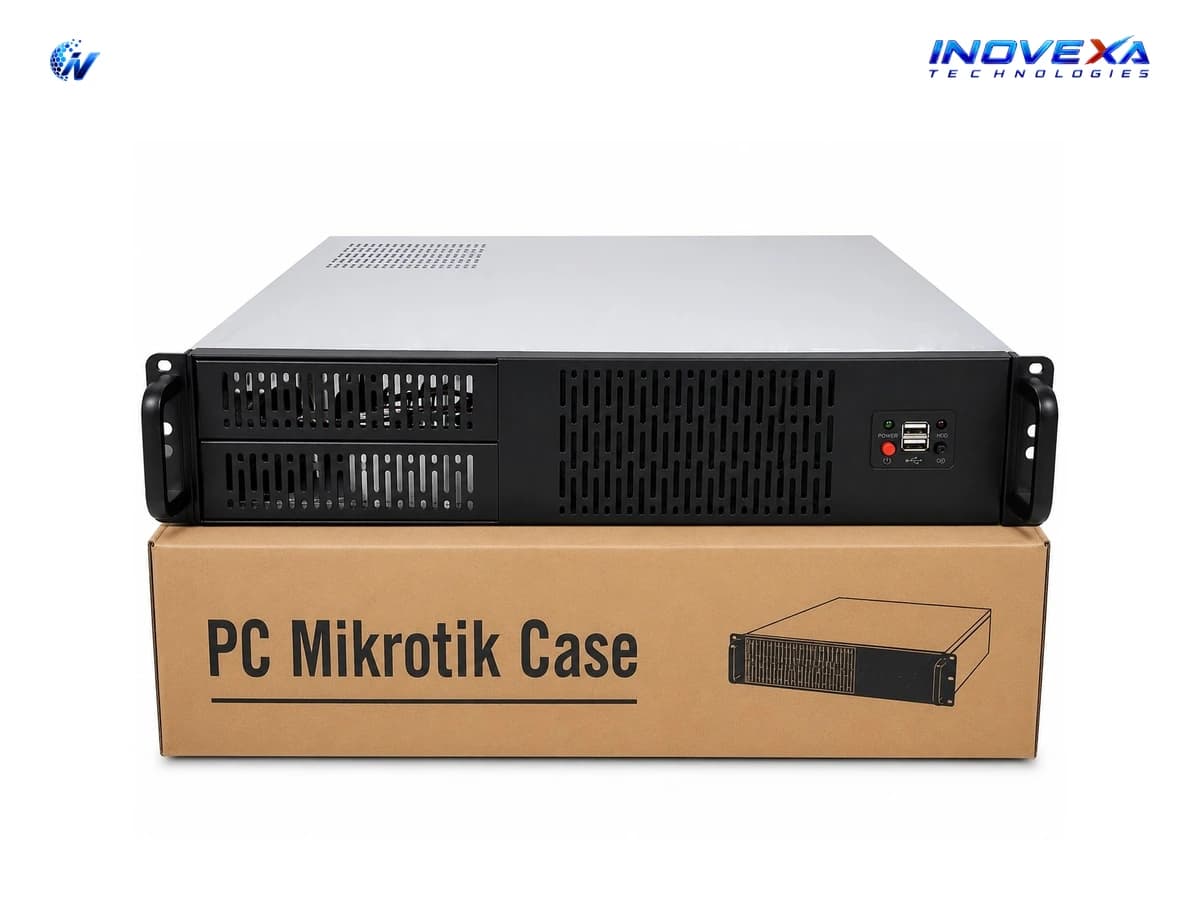
PC MikroTik Cases
About PC MikroTik Components
Purpose-built and compatible PC cases for MikroTik router server builds, offering suitable space, airflow, expansion capacity, and component compatibility for custom networking systems.
Hardware Component Breakdown
Motherboard
Processor
Server Memory
Network Adapters
Storage
CPU Cooling
Power Supply
PC MikroTik Hardware Selection Guide
Selecting components for a custom x86 RouterOS server requires looking at the complete hardware platform rather than choosing individual components independently.
1. Motherboard & CPU Compatibility
Select a motherboard and processor with compatible socket, chipset, BIOS, memory support, and platform requirements.
2. PCIe Expansion
Check available PCIe slots and lanes when installing multiple 10GbE, 25GbE, or higher-speed network adapters.
3. Memory Configuration
Choose RAM based on the motherboard's supported DDR generation, capacity, speed, ECC type, and channel configuration.
4. Network Requirements
Select NICs according to required bandwidth, port count, interface type, and network architecture.
5. Storage Requirements
Choose NVMe, SATA SSD, or HDD based on the required capacity, performance, and intended workload.
6. Cooling & Power
Ensure the CPU cooler fits the chassis and the PSU provides sufficient capacity for the complete system with room for future upgrades.
Key Enterprise Benefits
RouterOS-Compatible Hardware
Select components designed and evaluated for custom MikroTik RouterOS x86 deployments.
Flexible Configurations
Build systems with different CPU, RAM, storage, motherboard, NIC, cooling, and PSU configurations according to your requirements.
High-Speed Network Expansion
Add 10GbE, 25GbE, and higher-speed network interfaces through compatible PCIe network adapters.
Upgradeable Architecture
Upgrade individual components instead of replacing the entire RouterOS server when your infrastructure requirements grow.
Professional Infrastructure
Suitable component combinations can support ISP, enterprise, data-centre, and high-throughput networking environments.
Industry Applications & Deployments
ISP Core & Edge Routing
Build custom RouterOS systems for BGP, routing, NAT, firewall, and high-throughput ISP networks.
PPPoE & Subscriber Management
Configure dedicated RouterOS hardware for PPPoE authentication, subscriber management, and bandwidth control.
CGNAT Infrastructure
Use suitable processors and high-speed NICs for Carrier-Grade NAT and large-scale traffic processing.
Enterprise Network Gateways
Build hardware platforms for routing, firewall, VPN, VLAN, NAT, and traffic management.
Network Monitoring & Logging
Configure suitable storage and hardware for network monitoring, logging, and infrastructure management.
Upgrades & Replacement
Upgrade existing PC MikroTik Router Servers with RAM, CPUs, NICs, storage, cooling, or power supplies.
Why Choose INOVEXA TECHNOLOGIES for PC MikroTik Components?
MikroTik-Focused Hardware
Components selected for custom x86 RouterOS deployments.
Growing Product Range
Multiple hardware platforms, capacities, and configurations.
Custom Configurations
Build systems according to your bandwidth and workload requirements.
ISP & Enterprise Focus
Suitable for professional network infrastructure.
Technical Assistance
Get guidance on component compatibility and configuration.
Custom Router Server Builds
Components can be combined into complete PC MikroTik Router Servers.
Bangladesh-Wide Service
Hardware supply and technical support for customers across Bangladesh.